
Exit intent offers that stay in the cart.
An exit intent popup lands on top of whatever page the shopper is leaving. Cartivate plays the save offer inside the cart drawer instead, right next to the cart they were about to walk away from.
Free to install. No credit card to start.
They move to leave.
The cart answers.

They reach for the exit.
The drawer watches the real exit signals: the cursor thrown at the address bar, a back press, the cart being closed.
Pressing Checkout is not an exit. That shows the classic order bump instead.
A reason to stay.
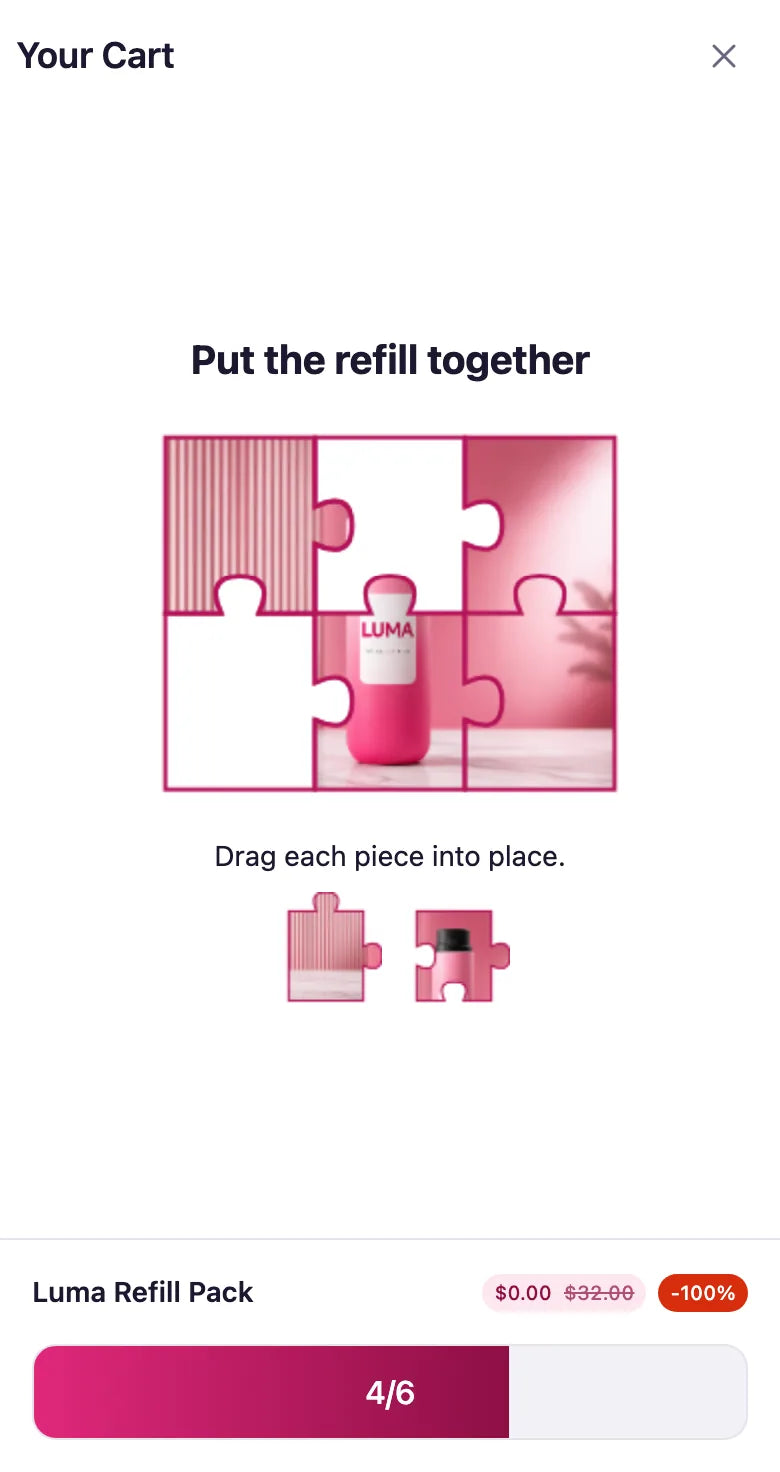
The save plays in the drawer, not over your store. Shoppers reveal the offer by completing a quick puzzle cut from your own image.
3, 6 or 9 pieces. Or run the exit campaign as a gift box offer.

The reward lands in the cart.
Solve it and the offer is already in the cart, one tap from checkout. No code to copy from a popup.
No separate
exit popup app.
The exit save runs in the same cart drawer as your upsells and order bumps, so one install covers the cart and the moment someone leaves it.
Puzzle or gift box
Exit intent campaigns run as a branded image puzzle or a gift box offer.
Your image
Upload your own image for the puzzle, so the save looks like your store, not a template.
Ready to translate
AI live translations help keep offers ready for international shoppers.
QUESTIONS ABOUT EXIT INTENT
What is an exit intent offer in the cart?
It’s a save offer that appears when a shopper moves to leave. With Cartivate it plays inside the cart drawer, not in a popup over your store.
What counts as an exit signal?
The cursor thrown at the address bar, a back press, or the cart being closed. Pressing Checkout instead shows the classic order bump.
Which offers can I use on exit?
A branded image puzzle or a gift box offer. For the puzzle, upload your own image and choose 3, 6 or 9 pieces.
Do I still need an exit popup app?
Not for the cart. Cartivate replaces the separate upsell, popup and exit-intent apps with one cart drawer that does all of it.
How much does it cost?
Cartivate is free to install. Up to 50 Cartivate orders a month are free; usage charges start at 51 orders.
Give them a reason
to stay.
Install Cartivate
Not ready to install? Preview a cart built for your store.