
Kaching CartDrawer
THE EDITOR APPROACHConfigure
your drawer.
Customize a slide cart with upsell sliders, reward bars and optional add-ons.
- No-code setup
- Built for Shopify
- Seven listed app languages
A familiar editor, or a cart you describe to AI. Compare the approach, the offers and the fit for your store.
Your store. Your products. No install needed.
Customize a slide cart with upsell sliders, reward bars and optional add-ons.
Build with your AI assistant. Give shoppers offers they can peel, solve or simply add.
Both cover the cart essentials. The difference is how you create the experience—and what you want shoppers to do next.
| What matters to you | Cartivate | Kaching CartDrawer |
|---|---|---|
| Build your cart | Describe it to your AI assistant. Review the draft, then apply it. | Customize your drawer in the app’s no-code editor. |
| Offer something extra | Peel reveals, image puzzles and simple offers. | Upsell sliders and optional add-on toggles. |
| Cover the essentials | Recommendations, reward tiers and optional extras. | Recommendations, shipping and gift bars, and optional extras. |
| Try it out | Preview a cart for your store before installing. | 14-day free trial on paid plans. |
| Get started | First 50 Cartivate orders each month are free. Usage charges apply above 50. | Free for development stores. Paid plans based on order volume. |
| Available languages | English, German, Italian, French, Dutch, Swedish and Spanish. | English, German, Italian, French, Dutch, Swedish and Spanish. |
A strong fit if you want to build with AI, create playful branded offers and see your own cart before installing.
See your Cartivate cart ↗Configure the drawer’s layout, upsell sliders and reward bars through settings in the app.
View app details ↗Make your product part of the interaction. A peel reveal, a puzzle made from your artwork, or a straightforward extra—designed to feel like your store.
Explore Cartivate’s offers ↗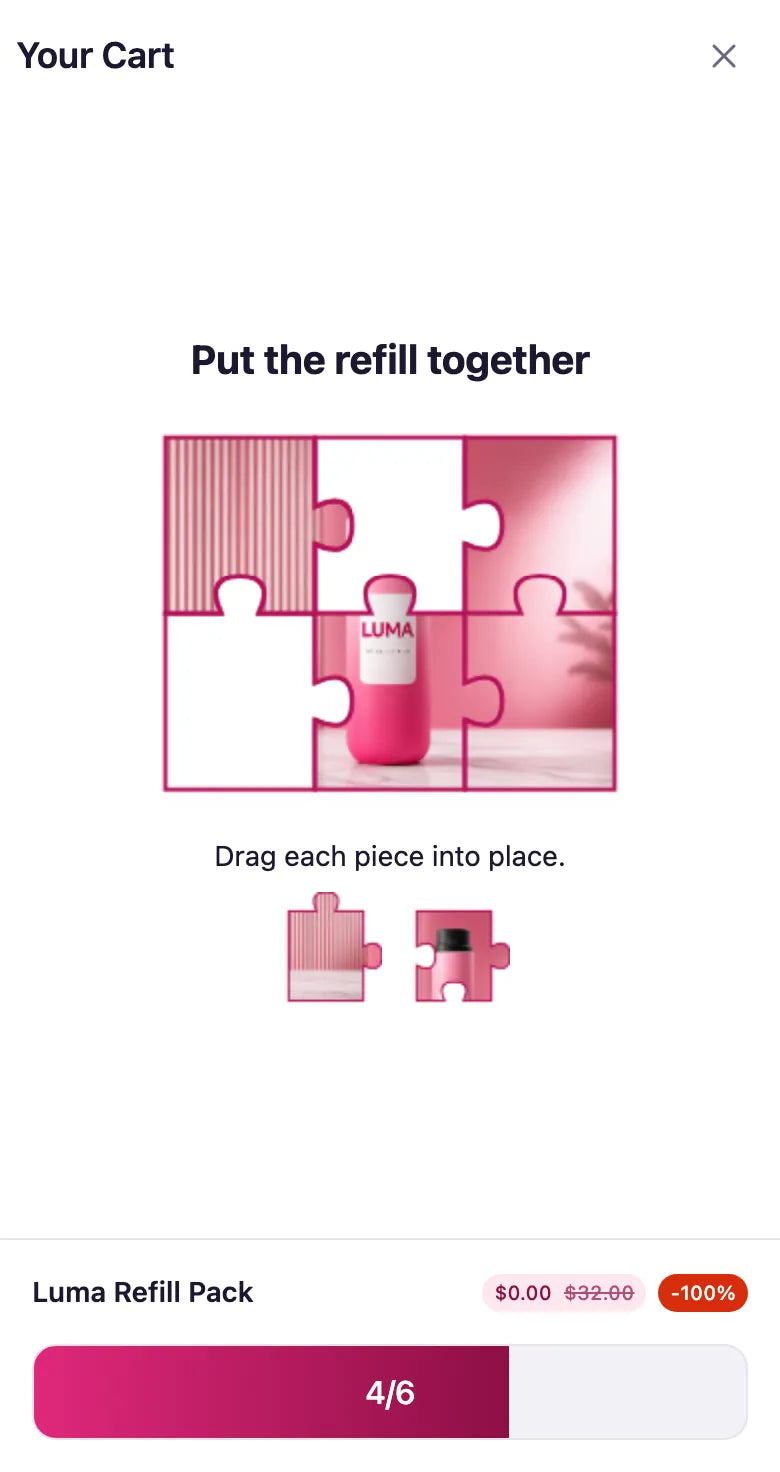
Choose Cartivate if you want to build a cart by describing it to your AI assistant, create interactive peel or puzzle offers, and preview your store’s cart before installing.
Yes. Both App Store listings describe recommendations, rewards and optional extras. Their setup methods and offer formats differ.
No. Cartivate includes the first 50 Cartivate orders each month, then usage charges apply. Kaching has order-based paid plans and a free development-store plan. Compare the current App Store pricing for your order volume.
Yes. Enter your store on the Cartivate homepage to preview a cart built for it before installation.
No. Review AI changes as drafts and apply them in Cartivate when you are ready.
See it on your store before you make the move.
Ready to start? Install Cartivate